This resource is intended to explain the basics of content optimization, to help you through the content gathering stage.
What do we mean by “optimization?”
There are three key types of optimization that we’ll get into here:
- Search engine optimization: helping your content rank well on search engines
- Conversion rate optimization: using a combination of UX and content to nudge users towards conversions
- AI optimization or generative engine optimization: making your content more accessible to AI tools, and more likely be be cited by them
How do I optimize my content for search engines?
This is a high-level resource on SEO basics. For more detail, read our 20-point content optimization checklist, and our guide to optimization using the Yoast SEO plugin (which we install on your site before launch).
SEO is also baked into all of our work; we consider SEO for the sitemap through to the build of your new site, and we have you covered when it comes to technical SEO. What you’re responsible for is the majority of your on-page SEO—the optimizations available for your text and images.
While the landscape of SEO seems like it’s always changing, there are certain practices that always work. Those are the ones we recommend.
Picking Keywords
- Use the rankings sheet or advanced keyword research that we provided in Basecamp to identify the best keywords to use.
- You can use free tools like AnswerThePublic.com, Answer Socrates, Google Trends, and ChatGPT to generate keyword lists.
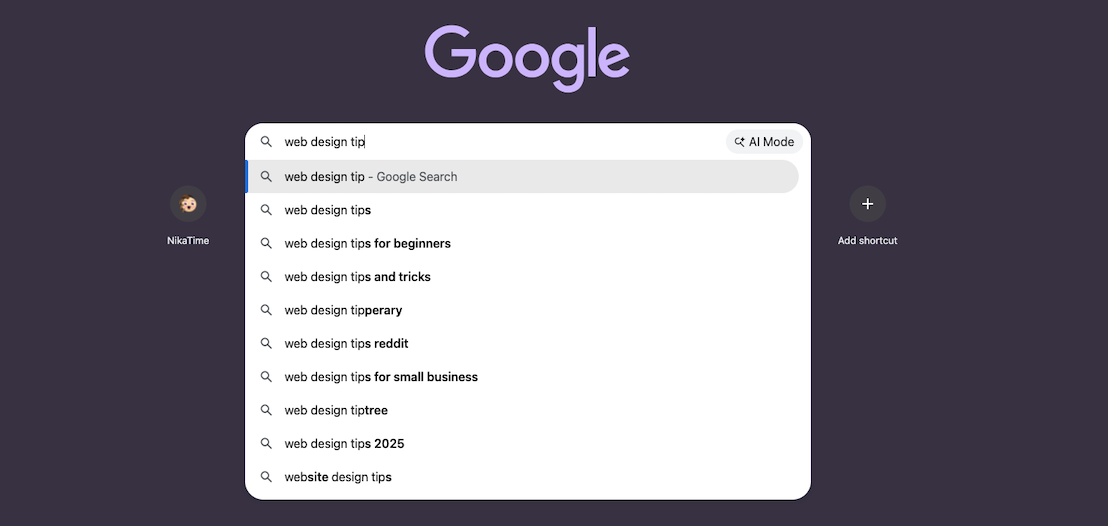
- You can also type your topic into the Google search bar and see what suggestions come up in autocomplete.
- Look at Google’s “people also ask” suggestions. These are mostly useful for planning sections in blog posts, but still worth mentioning!
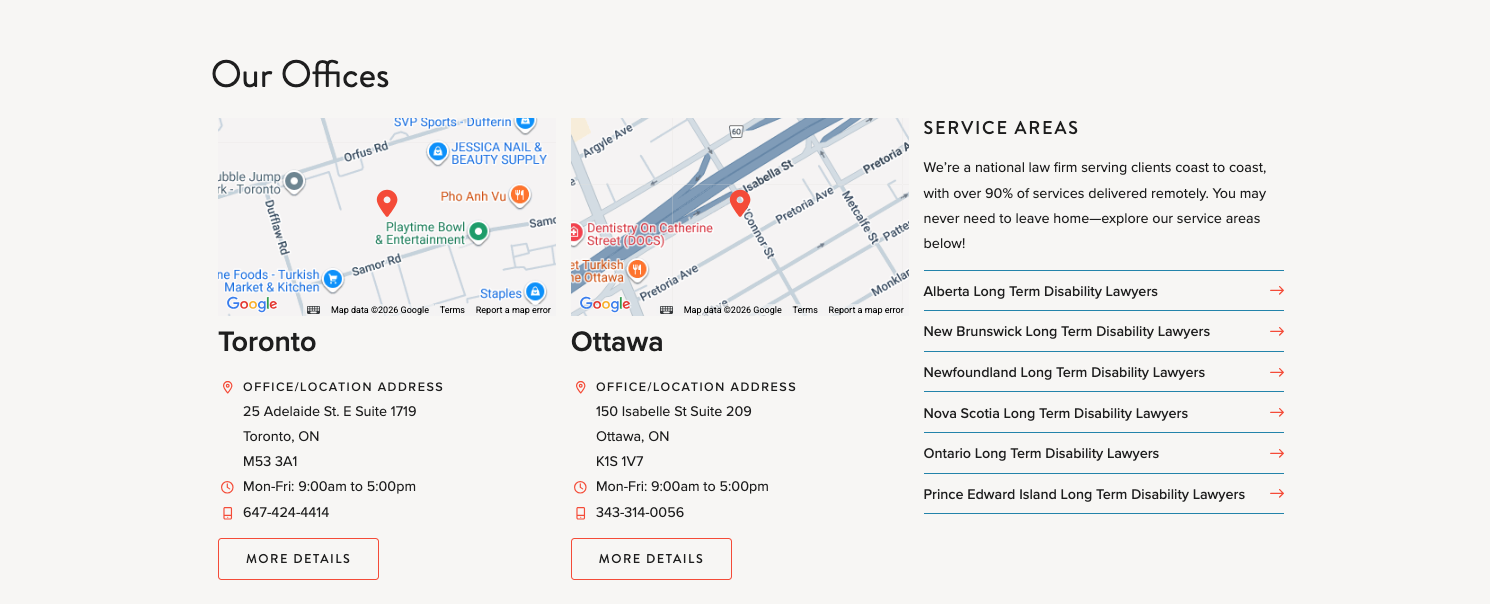
- If you run a local business or have locations, you’ll want to clearly use the city, state, province, or other region name on either the location page, or sprinkled across the whole site.
- Avoid keyword cannibalization. This is where you use the same keywords on all pages. Google will only show two pages per site in the results, so optimizing everything for the same keywords means you’re “cannibalizing” your own chances.
Where to Put Keywords in Your Copy
When we say to put keywords in your copy, we never mean “stuffing.” That’s a heavily outdated tactic. Don’t do it. Use keywords judiciously.
- The most important point we need to make here is that you should write using the phrasing your audience uses. This is what they’re most likely to type into search engines, but more importantly, it’s also going to align with your branding and create a positive reading experience that drives business goals.
-
Use keywords where they fit naturally, in the following areas:
- Page titles: This is a big one, page titles are designed to use the “H1” heading style, which is a big deal to search engines. So although it can be tempting to get clever with your page titles, make sure they actually describe the page.

-
- Header body text: The short text under the H1 in the page header, if that’s part of your design.
- Headings: Other page headings at the H2 and H3 level.
- Other body text: Use keywords and variations throughout the pages. Use synonyms and conversational phrasing, too!

-
- Meta descriptions: We will write these for you in the Yoast SEO plugin box, but you can always revise them later and consider if keywords fit. Keywords in meta descriptions are not a Google ranking factor, but do count for other search engines like Bing. They also drive click-through from the search engine results.
- Your site’s taxonomies, such as category terms, do not need to use keywords. While a category archive page would have the keyword in the page title, the content would be so thin (just a page title, possibly a short description, and then results) that it would not boost your ranking. Taxonomies should only contain useful terms that make sense to your audience.
Where Else to Put Keywords
-
Keywords can always be used in these places with no risk of stuffing:
- URLs: You can customize the URL or ‘slug’ in WordPress, rather than let it be automatically generated based on the title.
- Media filenames: This has to be done before uploading. Keywords in image files help the overall page rank, the overall site rank, and help your images turn up in Google image searches (if that matters to you).
Other Site Elements to Optimize for Search
- Add internal links (links to other pages and posts on your site). These help search engine bots crawl efficiently and understand what your content is about. They also tell search engines which are the most important pages on your site.
- Add external links to safe, reputable sites to support your credibility.
- Keep an eye on page speeds by making sure that the image files you provide aren’t too big. Large images and videos are the leading causes of slow page loads.
- Add detailed author bios on your articles or resources if your content falls under the “your money, your life” (YMYL) type. Any content that could impact a person’s health, wellness, or finances is considered YMYL, and is held to a higher standard by Google. Detailing who the author is and how they’re qualified to write on this topic will go a long way towards your rankings. If we put an author bio on certain posts in the sitemap and UX wireframes, this is usually why—make sure you don’t ask us to remove it!
Conversion Rate Optimization
Our information architecture and UX strategies are rooted in conversion optimization. This is why all pages have a “pre-footer CTA” block, suggesting a next step for the user. It’s also behind our approach to menu order and menu items, the order of page sections that we recommend, the content relationship callouts that we recommend, the way we style callouts and CTA buttons, and many other aspects of our design work.
What you’re responsible for is optimizing the text on your site to keep people on your site longer, and to further entice those clicks toward conversion. Copywriting is a fine art that takes specific skills, but these tips will help you get started.
- When you write about your offering, make it benefit-driven. Appeal to their needs, wants, or pain points.

- Casually work your differentiator into every page in some form, in case a user only sees that one page.
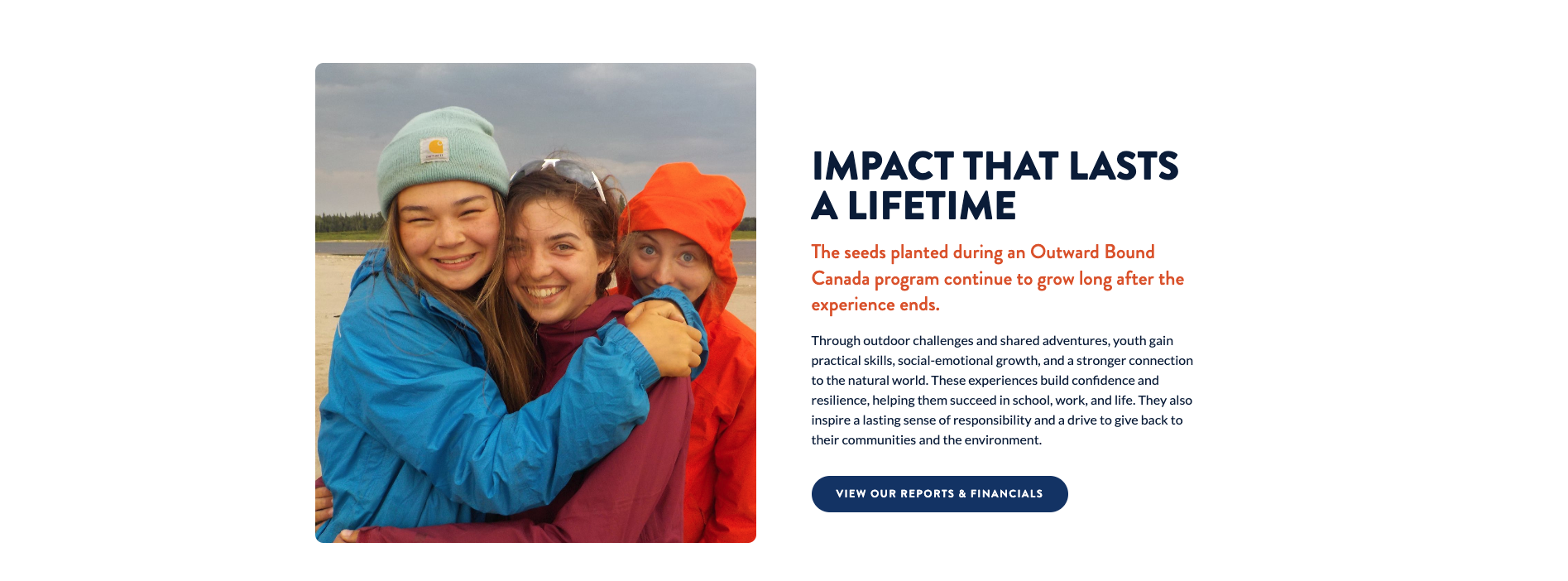
- Tell users why they should click to read related content. Be specific, make it about the benefit to them.
- Make callout block headings and text enticing.
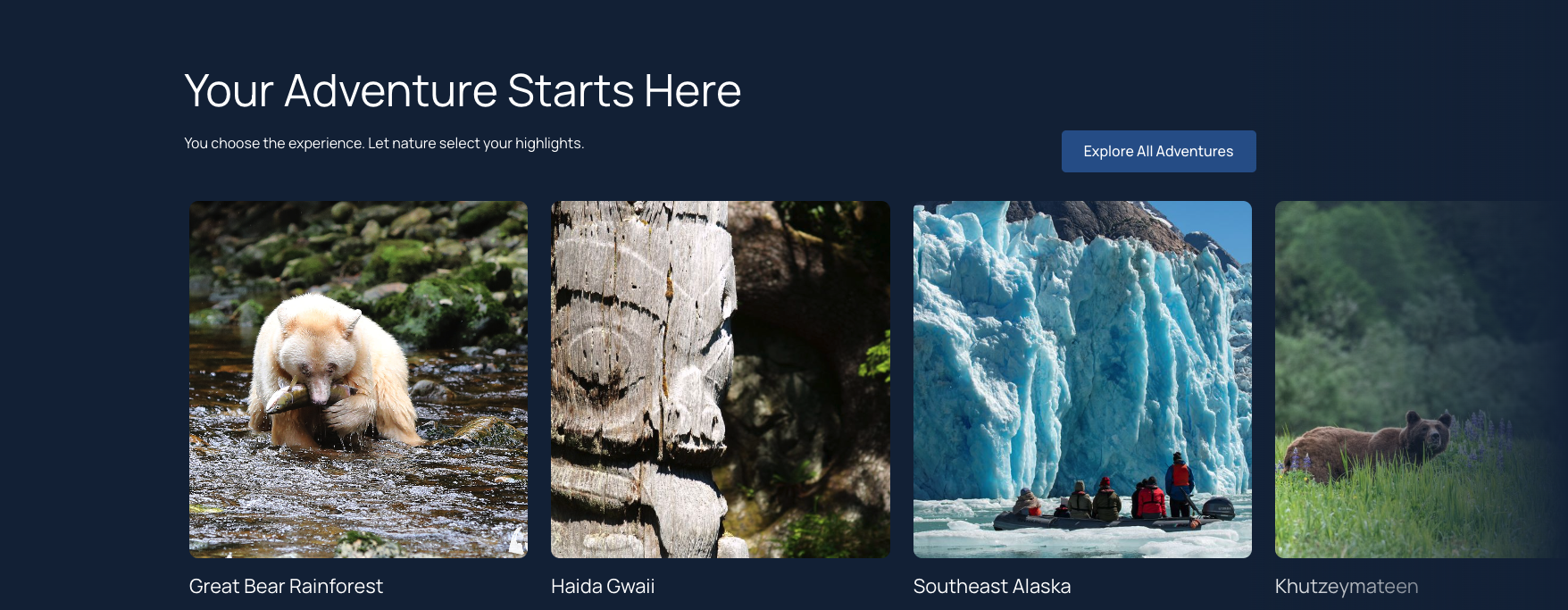
- Use short paragraphs of 2-3 sentences, and break longer text up with scannable headings.
- Make button copy clear and action-oriented.

- Avoid generic text like “learn more”—tell the user what they’ll get when they click, so they want to do so.
Additional reading on CRO: How to Optimize Your Blog Posts for Conversions and Conversion Rate Optimization UX.
AIO and GEO
Despite the fuss, there’s not much else to AIO or GEO (they’re the same thing) than what you’re already doing for SEO.
Most GEO optimizations are done by our team:
- Don’t block AI tools from crawling your site: We don’t do this unless specifically asked
- Have a hierarchical structure: That’s what we plan for you at the sitemap stage.
- Keep key pages near the top of the hierarchy: This is also part of our IA strategy.
- Create human-readable URLs: We plan a user-friendly and logical permalink structure before building your new site. WordPress automatically takes the ‘slug’ at the end of the URL from the page title, which can be edited if need be.
Here are the parts that you can control when you create content:
- Write great content that people want to read
- Have a detail-rich About page
- Choose smart anchor text (the words that are linked to internal or external pages should be clear)
You can read more about GEO in our article on GEO for ChatGPT.