
Cookies used to be a quiet background feature. They kept visitors logged in, remembered cart contents, and gave you a rough sense of what was working.
Today cookies sit at the center of a much larger conversation about tracking, privacy, and trust, and the legal requirements around them have caught up to their actual impact.
If your website runs analytics, advertising, A/B testing, or any form of personalization, you are collecting data under frameworks that now carry real enforcement teeth. Breaching these enforcements subjects you to legal implications that are best avoided.
In this article we’ll share a checklist to help you avoid that, and build a consent setup that holds up.
Why Has Cookie Compliance Gotten Harder?
Andrew Bates, COO at Bates Electric, a licensed electrical contractor with operations across multiple US states, says, “We run a business where data collection happens at every customer touchpoint, from contact forms to service history systems.
“The honest truth is, we could have set up different banners to capture that data for us and make the opt-out option feel so haphazard. But we don’t. We ensure all our audience have an opportunity to consent or withdraw their consent.
“Now, the reality is that not all businesses will do the same as we do. And the reason they get away with it is that the traditional cookie compliance pattern is filled with gaps, through which many can slip. That explains why regulators have spent the years since closing the gap between what the rules say and what websites actually do.”
Three developments in particular have raised the bar for every business website:
Enforcement Picked Up
The GDPR has been in force since 2018, but meaningful enforcement against businesses of all sizes started accelerating around 2022. The California Attorney General’s 2022 enforcement action against Sephora for ignoring Global Privacy Control signals was a clear signal that regulators were moving beyond symbolic fines on large corporations.
Design Tricks Became Explicitly Regulated
The FTC’s 2022 report Bringing Dark Patterns to Light named the specific interface tricks that manipulate consent, such as burying reject options, using confusing double negatives, and making opting out multi-step while accepting is one click. The EU’s Digital Services Act adds similar pressure. Regulators now distinguish between consent that was genuinely given and consent that was engineered.
State Laws Multiplied
California was the first US state with teeth, but Colorado, Virginia, Connecticut, Utah, Oregon, and Texas have all followed with their own privacy laws. Colorado’s requirement to honour universal opt-out mechanisms, including browser-level signals like Global Privacy Control, effectively means your consent setup has to be technical, not just visual.
What the Law Actually Requires in 2026
Requirements vary by region, but the pattern is consistent enough that you can build a single system that adapts by location rather than maintaining entirely separate setups.
Sixin Zhou, Marketing Manager at LDShop, a global gaming platform, manages consent compliance across multiple jurisdictions simultaneously, and agrees with this view. He says, “Running a platform internationally means you’re not choosing which privacy law applies to you. They all apply, depending on who is visiting. That’s why you need to invest in a system with regional flexibility from the start, rather than retrofitting a single approach to every market.”
But before that, here is what some key regional laws say.
EU and UK
Prior consent is required for any cookie or tracking technology that is not strictly necessary for the website to function. That covers most analytics platforms, all advertising and retargeting tools, A/B testing, heatmaps, and session recording software.
The specific requirements under GDPR and the UK ICO’s guidance on cookies and consent:
- Consent must be freely given, specific, informed, and unambiguous
- “Accept all” and “Reject all” must be presented with equal visual weight. A bright accept button next to a grey text link to manage settings does not meet this standard
- Pre-ticked boxes do not constitute consent
- You must be able to document when consent was given, what was disclosed at that time, and what the visitor chose
- Withdrawal must be as easy as acceptance
The UK and EU have diverged slightly post-Brexit, but for practical compliance, a setup that meets the GDPR standard will cover both.
United States and Canada
There is no single federal privacy law in the US, which means compliance requires tracking state-level requirements. The practical approach for most business websites is to identify which states your visitors come from and configure your consent setup accordingly, or to apply the strictest common requirements across all US visitors.
Key requirements by state:
- California (CCPA/CPRA): Must provide a clear “Do Not Sell or Share My Personal Information” mechanism. Must honor Global Privacy Control signals automatically. Enforcement through the California Privacy Protection Agency.
- Colorado: Requires honoring universal opt-out mechanisms, including GPC, under the Colorado Privacy Act. Effective for many businesses in 2024.
- Virginia, Connecticut, Utah, Oregon, Texas: Each has opt-out rights for targeted advertising and some form of data subject rights. Requirements differ in detail.
For Canada, Quebec’s Law 25 introduced requirements that go further than Canada’s federal PIPEDA in some respects, including mandatory privacy impact assessments for certain processing activities and stricter requirements on cross-border data transfers. Any business that serves Quebec visitors should review its consent setup against the requirements of Law 25 specifically.
The 10 Legal Consent Steps to Follow
Work through each of these before launching or relaunching any significant part of your website.
1. Inventory Every Tracker on Your Site
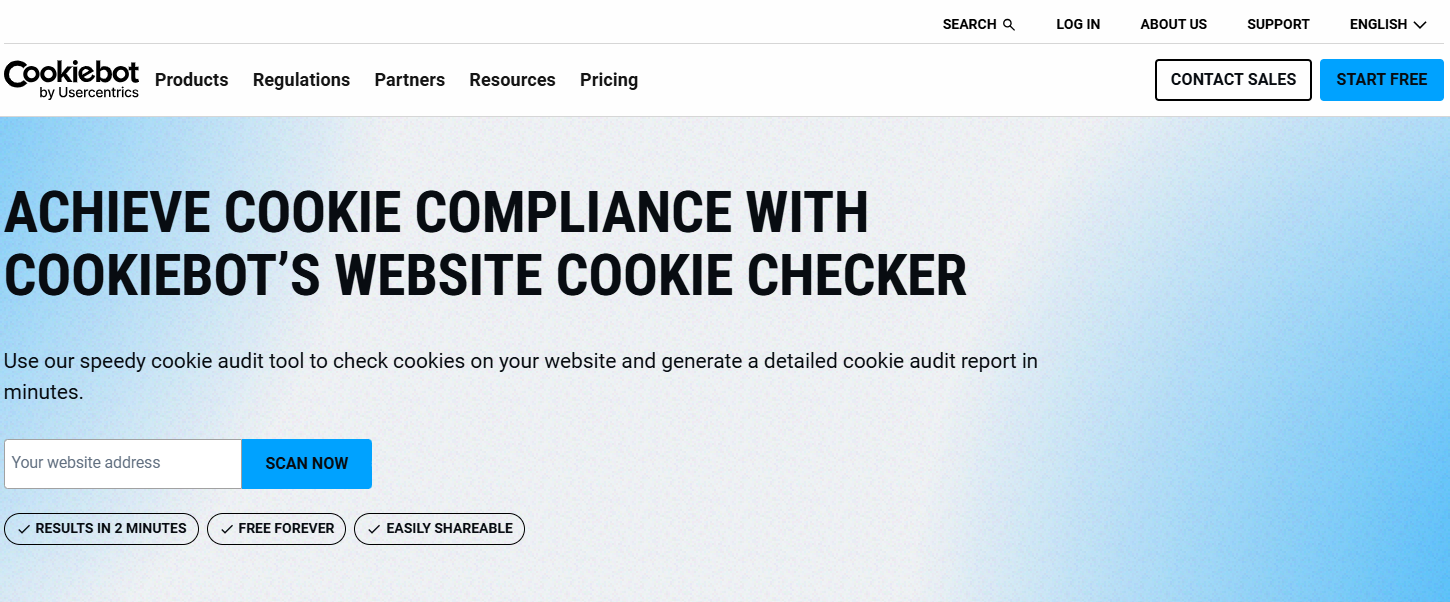
Before you can build a compliant consent system, you need to know what you’re consenting to. Run a cookie audit using a tool like Cookiebot’s scanner or the browser’s built-in developer tools to see every cookie set on page load, before any consent is given.
For each tracker, document:
- Name and vendor
- Category (strictly necessary, functional, analytics, advertising)
- Data collected and retention period
- Legal basis for processing
Any tracker that fires before consent is collected and is not strictly necessary is a compliance problem, regardless of what your banner says.
2. Audit How Your Tag Manager Handles Consent
Your tag manager is where most compliance failures actually live. A banner that looks right to a user can be meaningless if your Google Tag Manager setup loads analytics scripts on page initialization rather than waiting for a consent signal.
The correct architecture should look like this:
- Your consent management platform fires a data layer event when a visitor makes a choice
- Your tag manager listens for that event and conditionally loads each tag based on the consent categories the visitor accepted
Tags for non-consented categories should not fire at all, not just be suppressed from view.
3. Choose and Configure a Consent Management Platform
A CMP automates the regional rules, collects and stores consent records, passes signals to your tag manager, and keeps audit logs you can produce if a regulator asks. For WordPress specifically, most CMPs integrate via plugin, with Usercentrics/Cookiebot, Osano, and Complianz among the more commonly used options.
What to check before selecting one:
- Does it update automatically as regulations change, or do you need to reconfigure it manually?
- Can it geotarget banner behavior by region, so EU visitors see prior consent requirements and US visitors see the appropriate opt-out flows?
- Does it detect and respond to GPC signals at the browser level?
- Does it produce consent logs you can export?
- Is the implementation lightweight enough that it doesn’t measurably affect your page speed scores?
For most SMB websites, a mid-tier CMP plan covers what you need. Enterprise-grade platforms like OneTrust and TrustArc are designed for large organizations that manage consent across dozens of domains and jurisdictions.
4. Build a Banner that Actually Communicates
The banner is the part your visitors see, and it’s where many sites still fail to get the basics right. The legal requirements translate to a short practical checklist:
- Accept and reject options must have equal visual prominence. Same button size, same color, same weight, same position
- “Manage settings” or “Customize” must be present and lead to a genuinely functional preference center, not a page that explains your policy without actually letting anyone change anything
- The banner copy should explain in plain language what each category of cookie does, not just label it “analytics” and expect visitors to know what that means
- Closing the banner or clicking away should not be treated as consent
Eric Yohay, CEO & Founder of Outbound Consulting, a B2B lead generation agency, regularly works with businesses at the intersection of conversion and compliance.
“The consent banner is often the first functional interaction a visitor has with your brand,” Yohay says. “How you handle that moment tells people something about how you handle everything else. A banner that’s clearly trying to manipulate someone into accepting tracking trains visitors to distrust you before they’ve even read a word of your content. Transparency at that point is the beginning of the relationship.”
5. Honor GPC and Universal Opt-Out Signals
Global Privacy Control is a browser-level signal that tells websites a visitor does not want their data sold or shared. Under California law, you are required to honor it automatically. Under Colorado’s rules, it qualifies as a valid universal opt-out mechanism.
This is a technical requirement, not just a policy one. Your website needs to detect the GPC header in incoming requests and suppress any data sale or sharing processing accordingly, without requiring the visitor to interact with a banner.
Most CMPs now handle this detection, but you should verify that the signal is actually processed at the tag manager level, not just acknowledged in your privacy policy.
6. Update your Cookie Policy
Your cookie policy should be a living document that lists every vendor, the category of each cookie they set, the purpose, and the retention period.
It should be linked from your banner and from your footer, and it should be version-controlled so you can show what the policy said at the time any given consent was collected.
Most CMPs will generate a cookie policy automatically based on your scanned cookies, which keeps it current without requiring manual updates every time you add a new marketing tool.
7. Log Consent Properly
Consent logs protect you if a regulator or user challenges what was disclosed. At a minimum, each record should capture:
- Timestamp of when consent was given or updated
- What the visitor was shown (banner version and policy version)
- Which categories did they accept or decline
- Geographic region
Withdrawal must be as fast as acceptance. A visitor who accepted all tracking should be able to revoke that consent in one click, and the revocation should propagate to your tag manager and stop data collection immediately, not at the next session.
8. Manage Vendor Relationships
Adrian Iorga, Founder and President of Stairhopper Movers, runs one of Boston’s fastest-growing moving companies and collects customer data through every channel from online booking forms to service follow-ups.
“We’ve had to be very deliberate about which tools we add to our website, because every new integration is also a new data relationship,” Iorga says.
“Before we connect anything, we want to understand where customer information is going and whether that vendor has their privacy practices documented in a way we could actually stand behind. Our customers trust us with their home addresses, their schedules, sometimes their entire household. That’s not data we treat casually.”
For any third-party tool that processes visitor data, including your analytics platform, CRM, payment platforms, live chat, and advertising pixels, you need a data processing agreement that accurately describes how the tool uses that data. If a vendor processes data in a different country, you need the correct legal transfer mechanism in place, whether that’s the EU-US Data Privacy Framework or Standard Contractual Clauses.
Keep a current list of subprocessors. If a vendor changes their data practices or updates their model, your DPA may no longer accurately reflect what’s happening, and that discrepancy belongs to you as the data controller.
9. Test With and Without Consent
Run your site through a technical privacy scanner, such as Privacy Bee or Blacklight from The Markup, both before and after consent is given. Confirm that:
- No non-essential scripts fire before consent
- Rejecting all stop data flows not just hides the banner
- Accepting specific categories only loads the scripts in those categories
- Consent state persists across sessions without asking again immediately
Re-run this test after every significant marketing tool change or website release. New plugins, theme updates, and third-party script additions frequently introduce new cookies that were not in your original inventory.
10. Train Your Team and Set a Review Cadence
Mike Miller, General Manager at Elkhorn Heating, Air Conditioning, Plumbing & Electrical, manages operations for a service business in which customer data flows through multiple systems, from scheduling software to customer history records.
“Privacy compliance isn’t a launch task,” Miller says. “The tools change, the regulations update, and the way data moves through your systems shifts every time you add something new. Most businesses get into trouble because they set it and forget it. And that’s why you need someone who owns the question of what’s happening with customer data, and that person needs to be checking it regularly.”
At a minimum, schedule:
- A cookie inventory scan after every major website update
- A policy review whenever you add or remove a vendor
- An annual full audit of your consent setup against current regulatory requirements
- A data protection impact assessment for any new processing activity that involves sensitive data or significant automated decisions
What This Looks Like in a WordPress Context
Most SMB websites run on WordPress, and the consent implementation questions that arise in WordPress are slightly different from those on other platforms.
The most common compliance failure in WordPress is the load order. WordPress loads scripts through functions.php, plugin hooks, and the wp_enqueue_scripts action, and many plugins load their scripts unconditionally, regardless of whether the user has given consent.
A plugin for a chat widget, a booking form with tracking, or a social share button can fire before your CMP has had a chance to register a consent decision.
The correct approach is to configure your CMP to block all non-essential scripts at the document level and only release them after consent is recorded. This usually requires either a tag manager-first setup or a CMP that integrates at the server level rather than just injecting a JavaScript banner.
Forge and Smith builds consent-compliant WordPress websites for B2B organizations and nonprofits, including CMP integration, tag manager configuration, and privacy policy documentation.

If your current setup isn’t passing a technical scanner or you’re building a new site that needs to get this right from day one, a web development team can walk through what a compliant architecture looks like for your specific stack.
Conclusion
The essentials of tracking and data collection have not changed. You simply need to ask before you track, explain it clearly, make saying no as easy as saying yes, and build systems that actually do what your banner promises.
The only thing that has changed is the level of technical specificity required to meet that standard. You need to configure your tag manager, your CMP integration, and your vendor agreements. These ensure you can produce a consent log if someone asks for one.
Start with the inventory. Know what’s firing on your site before you do anything else. Then work through the checklist above, and set a quarterly reminder to check it again.
Share post:

About the Author
David Abraham
David Abraham is a tech lawyer with extensive experience in artificial intelligence, financial technology, human rights law, and digital marketing.
Contact Us More by This Author