You spent tens of hours crafting product-led content for your blog. It hit all the green lights for a solid piece, and you hoped it would help you reach your audience better. But two days later, when your content has barely taken its breath, a copyright strike lands in your inbox.
Why? Simply because your piece contains an image or even a short excerpt from someone else’s content without the proper rights. Not only do you have to remove the content, but you may also face monetary compensation claims.
Sounds familiar? Copyright infringement on your website is a buzzy topic, given how it can result in financial, reputational, and even more serious legal consequences for your business.
In this article, we’ll share common copyright mistakes that you can make, how to avoid them, and steps to safely use content on your website.
The Most Common Copyright Mistakes on Websites
Copyright infringements aren’t just about lifting an entire page of content and pasting it on your website. Or replicating another brand’s logo with slight variations for your page.
They can be as simple as these common slip-ups.
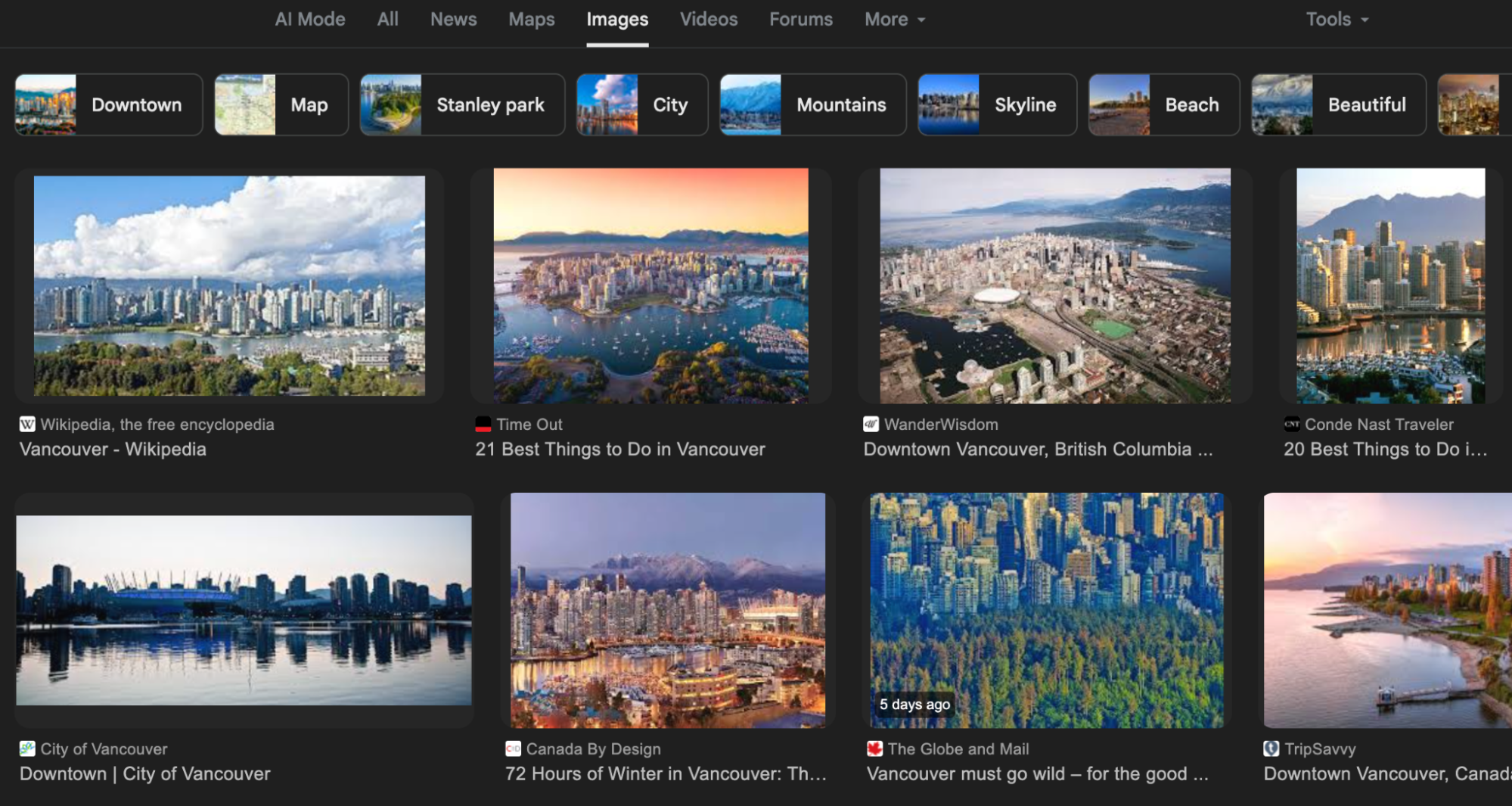
Using Google Images Without Permission
Google has an image section, which is a collection of images from various websites, organized by topic or query. You can use these images for a dozen purposes, including offline presentations and social media posts, which are risky enough if used without permission.
Adding them to your blog post, however, raises the flag more quickly and can attract copyright strikes, takedown requests, or even legal penalties, depending on the rights holder’s stance.
Copy-Pasting Content from Other Sites
You don’t necessarily need to copy an entire blog post before you infringe on copyright. It could be short excerpts, a single-line sentence, an expert quote not originally on your website, a whole paragraph, or even unique brand lines.
Sometimes even attributing what you copied to the writer or website does not make it less of a copyright mistake.

Using Stock Photos Incorrectly
Stock images often seem like a safer option, but their inappropriate use can also result in infringement. That’s because most of these images are bound by attribution rights and sometimes a specific licence guiding how you use them.
For instance, some may permit only personal use, and others might allow commercial use. Breaching these allowances can attract a copyright strike.
Not Crediting Creators When Required
Many image libraries, such as Freepik and Unsplash, require that you attribute any free images downloaded from their websites.
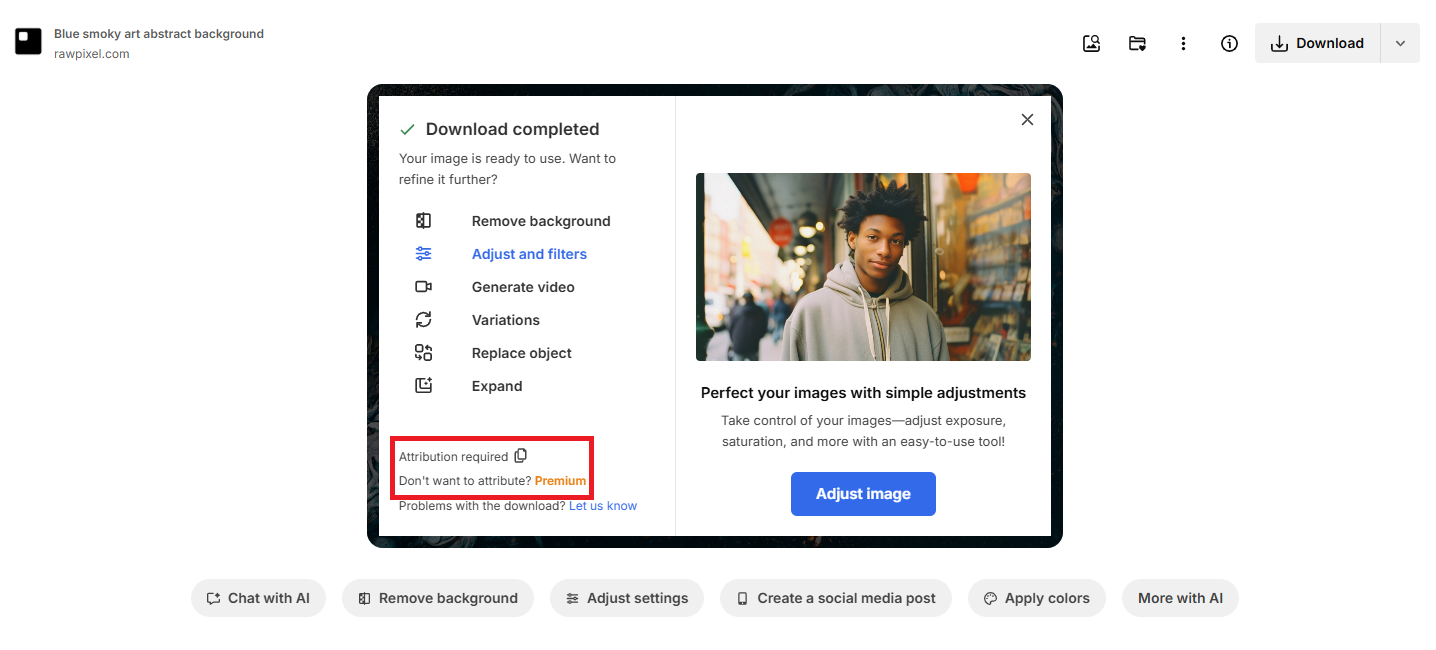
However, it’s easy to overlook these attributions due to the instructions’ inconspicuous nature, or because you think the requests are optional. Failing to credit when required is a breach of license, and a creator may flag your content if they notice their work being used without acknowledgment.
Assuming “Fair Use” Applies in All Cases
Fair use allows you to utilize a portion of another person’s content for non-commercial purposes and for as long as it doesn’t replace the original work or reduce its market value.
But note that not all works are covered by fair use, and some that are strictly protected might require additional permission. So, you’re not necessarily protected, no matter how little you use or whether it’s for commercial, educational, or criticism purposes.
Ignoring User-Generated Content Rights
Adrian Iorga, Founder & President at 617 Boston Movers, says, “User-generated content is a powerful marketing asset and often available in large numbers. Still, contrary to what most marketers believe, availability does not equal usability. Taking a screenshot or downloading your audience’s social media content for marketing purposes without consent, even if it mentions your brand, breaches their right to be informed before use.”
A user can also request the takedown of any work that references their UGC or name. Refusing to comply with their requests can result in copyright strikes.
Legal and Business Risks of Copyright Infringement
Consequences for copyright infringement vary in type and severity depending on the region, but usually involve these outcomes.
Fines, Takedown Notices
According to the Justice Manual, criminal copyright infringement in the US can result in fines of up to $250,000. Non-criminal infringements—unauthorized use that is not willful or for commercial piracy—face smaller but damaging penalties ranging from a few hundred bucks to thousands of dollars.
Even a single lawsuit over one unlicensed image can hit a small business with tens of thousands of dollars in damages, plus the costs of paying your legal fees. Suddenly, you could find yourself scrambling for unexpected fixes like tightening budgets, negotiating settlements, or checking in for debt relief services.
Website Credibility Damage
People want original content from your website, not plagiarized pieces. The more you copy-paste other brands’ resources, especially without proper attribution, the more your credibility drops.
Visitors also lose trust, and potential customers might doubt the authenticity of your brand. Things get worse if the original creator calls you out on social media and scar your brand reputation.
Negative Impact on SEO
Search engines like Google consider copy-pasting or inappropriate use of another person’s content on your website, whether in parts or whole, to be plagiarism.
Moderate plagiarism can result in penalties that hurt your SEO and ranking on SERPs, and in extreme cases, Google might outright kick your website out of its indexed pages.
Steps to Safely Use Images on Your Website
Image copyright mistakes can be costly, but you can avoid them by implementing the following steps.
1. Check Usage Rights and Attribution Rules
“When downloading free images from platforms like Freepik, confirm whether attribution is required and, if so, whether it is compulsory to reference the creator. To be on the safe side, always attribute creators, even if it is optional. Usage rights can change over time, and that can land you in a copyright battle”, Jeffrey Zhou, CEO and Founder of Fig Loans, adds.
2. Create Original Visuals When Possible
Nothing beats creating your own visuals, as much as possible, yourself. Instead of lifting generic stock images and using them on your website, set up a graphic design team to consistently do that for you.
If a whole team isn’t feasible, utilize design tools like Canva to quickly create infographics, banners, and other visuals tailored for your website. Branded images reinforce your authenticity.
3. Keep Records of Licenses or Permissions
Oftentimes, when you download a licensed image, you’ll receive a copy of that license at your email address. It’s easy to swipe left and delete the email, after all, you’ve paid for it and don’t want extra emails cluttering your inbox.
But that might be a mistake. If a copyright dispute arises, you need proof of purchase and usage rights. So, prioritize archiving emails or storing them in a dedicated folder so you always have evidence to protect your website and business.
Steps to Safely Use Written Content on Your Website
Much like images, unconsented use of written content on your website can result in takedown requests and legal implications. Here’s how to stay safe:
1. Write Original Content Instead of Copying
The easiest way to avoid copyright mistakes is to create 100% of your content in-house. When it’s original, you can’t possibly be breaking any copyright laws.
Start by researching your industry to identify which topics are already successful. Use an SEO ranking checker to find high-value keywords, and then expand on the conversation rather than reproducing another version of well-performing content.

2. Quote Sparingly and Cite Sources
There’s a temptation to quote an industry leader or a top website’s content on your page. While that might reinforce your piece, it might also be tantamount to unauthorized use and plagiarism. If you need to quote people’s content, ask for explicit consent and keep a record of it.
You should also preferably use quotes from experts within your organization unless you’re dealing with a niche outside your offerings. For example, Southwire referenced its CEO in this portion of an article below.

Most importantly, cite sources of any quotes you’re getting from outside.
3. Run Plagiarism Checks Before Publishing
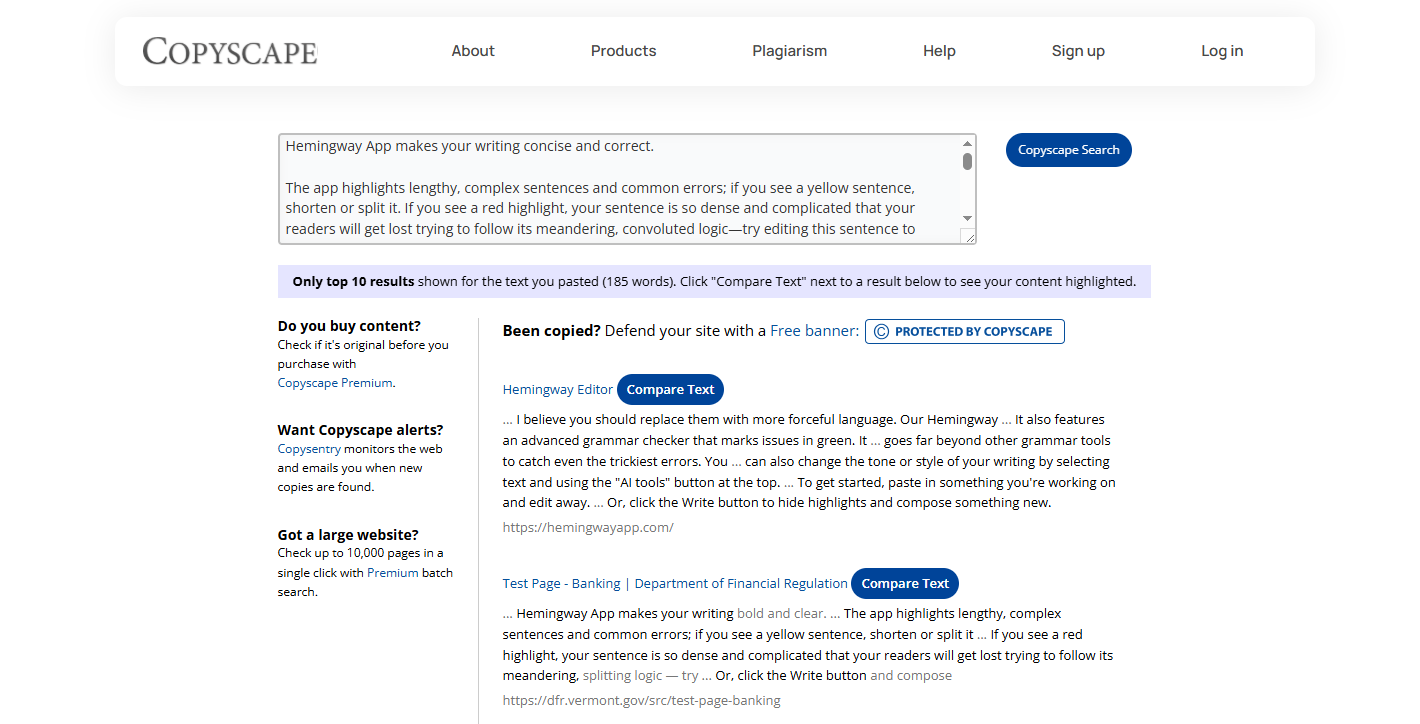
Even if you create your content from scratch, there are chances that it contains lines similar to paragraphs from another website and might be flagged as plagiarism. Use tools like Grammarly, Turnitin, or Copyscape to review each piece of content before it goes live and address the flagged sections.
Best Practices for Teams to Avoid Copyright Mistakes
Copyright mistakes can be detrimental to your business reputation and finances. Here’s how to keep your team from making one.
1. Train Your Team on Copyright Basics
While you may be well-versed in how content permissions and copyright work, your team might not. For instance, your content team might assume it’s okay to reference a customer’s UGC in their post without securing proper consent first.
Ignorance can cost you money and credibility. Help them understand what’s acceptable and what’s not, how to seek consent for any piece, the legal SOPs, and who to contact in case of any problem.
2. Build a Shared Library of Approved Content
A more effective way to avoid copyright strikes is to establish a centralized repository of approved assets, including licensed images with their corresponding licenses, authorized graphic brand templates, and written resources. This equips your team to access compliant resources and minimizes accidental copyright issues.
Centralizing your assets also streamlines content production for other marketing activities like email marketing. Using pre-approved visuals and copy ensures your campaigns remain both on-brand and legally compliant, while saving your team time and reducing the risk of mistakes.
At the same time, regularly update your library with current materials. Ask your team what resources they would like to use if they’re not in the repository, and encourage them to use assets you already have.
3. Assign Someone to Review for Compliance
People make mistakes for a number of reasons, and that can make it challenging for everyone on your team to always stay on the same compliance page.
That’s where setting up a compliance unit within your editorial process comes in. Assign one or more individuals to thoroughly review all content, both in-house and externally, for copyright mistakes before it goes live on your website.
4. Download Only from Reliable Platforms
Images from platforms like Google, Pinterest, and other social media sites carry a higher copyright risk since they are usually not accompanied by an attached license.
Alternatively, leverage reliable platforms like Unsplash, Freepik, Shutterstock, or Flickr. Look for licenses attached and properly reference them.
Conclusion
Copyright mistakes, however minor they may seem, can tarnish your brand reputation and cost you financially. To avoid such outcomes, check usage rights and licences before use.
Prioritize creating your own content and image assets over relying on downloaded resources. Run plagiarism checks before publishing your content.
Additionally, train your team on basic copyright issues, establish a shared library of approved resources, set up a compliance unit, and download content only from reliable platforms like Shutterstock.

About the Author
More by This Author
About the Author
David Abraham
David Abraham is a tech lawyer with extensive experience in artificial intelligence, financial technology, human rights law, and digital marketing.
Contact More by This Author