For most digital-first companies, brand inconsistency is a slow drag on growth that’s hard to spot until you’re already losing deals.
Your founder writes LinkedIn posts in one voice, your sales team builds a pitch deck in different colours and tones, and support sends out emails with a third style baked in (or worse, no brand considerations). None of you coordinated, and the customer sees it all.
Eventually your brand ends up with multiple faces, which confuses your customer. This affects trust, negatively impacts your sales cycles, and can cause people who could have converted to just bounce.
To fix that, you need a brand system.
In this article, we’ll explain what these systems are and how to build the version you actually need.
What Is a Brand System?
A brand system is the set of decisions and tools that align all outputs and make them feel like they came from the same company.
That includes rules about your colours, fonts, logo treatment, button styles, template structure, how you talk to customers from initial meetings or interactions through ongoing support, and the tone you use when something goes wrong.
A brand system is different from brand guidelines or a design system.
- Brand guidelines tend to be the big PDF that sits in a folder and gets opened twice a year
- A design system is usually the developer-focused component library that lives in a code environment
A brand system sits between those two. It’s the working set of decisions, alongside your brand strategy, that your team uses on a Tuesday afternoon when someone has to make a client-facing document, send an email about an issue with an order or request, or build a new landing page.
How Does Design Consistency Drive Trust and Revenue?
Three things happen when your brand stays consistent.
It Builds Recognition Over Time
After enough exposure, customers recognize your brand without thinking. They see your colours and phrasing across channels, and that recognition becomes a source of comfort over time.
Comfort lowers perceived risk at the moment someone is deciding to buy, sign up, or book a call.
Recognition Increases Conversion Chances
For B2B and non-profit organizations, buyers rarely convert on the first visit. You need to create second, third, and further interactions.
Consistent branding across each interaction helps you reinforce credibility and stay top of mind. The same principle applies whether you’re promoting SaaS products, professional services, personal care products, or even niche educational materials and land investing courses.
It Reduces Friction Across the Buyer Journey
B2B and non-profit sales cycles are long, and that’s where consistency really pays off. A prospect might see your LinkedIn ad on Monday, visit your site on Wednesday, receive a follow-up email on Friday, and open your proposal next week. Each familiar step nudges them closer to a yes.
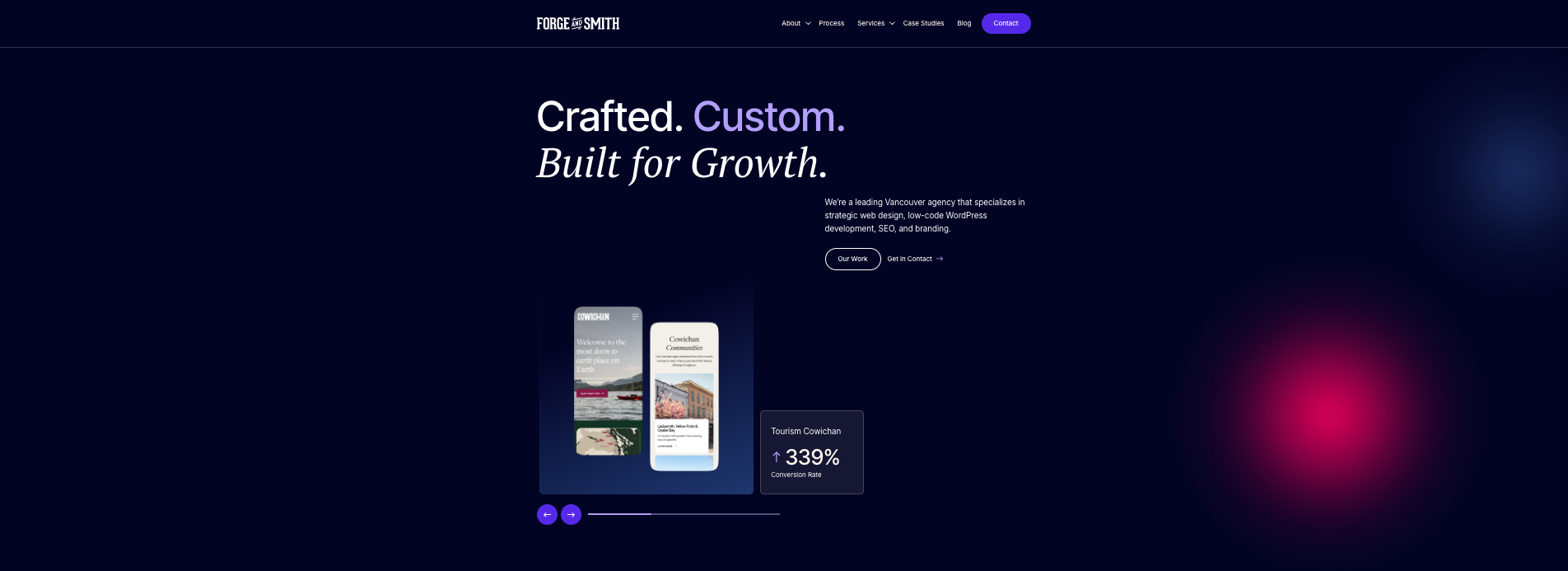
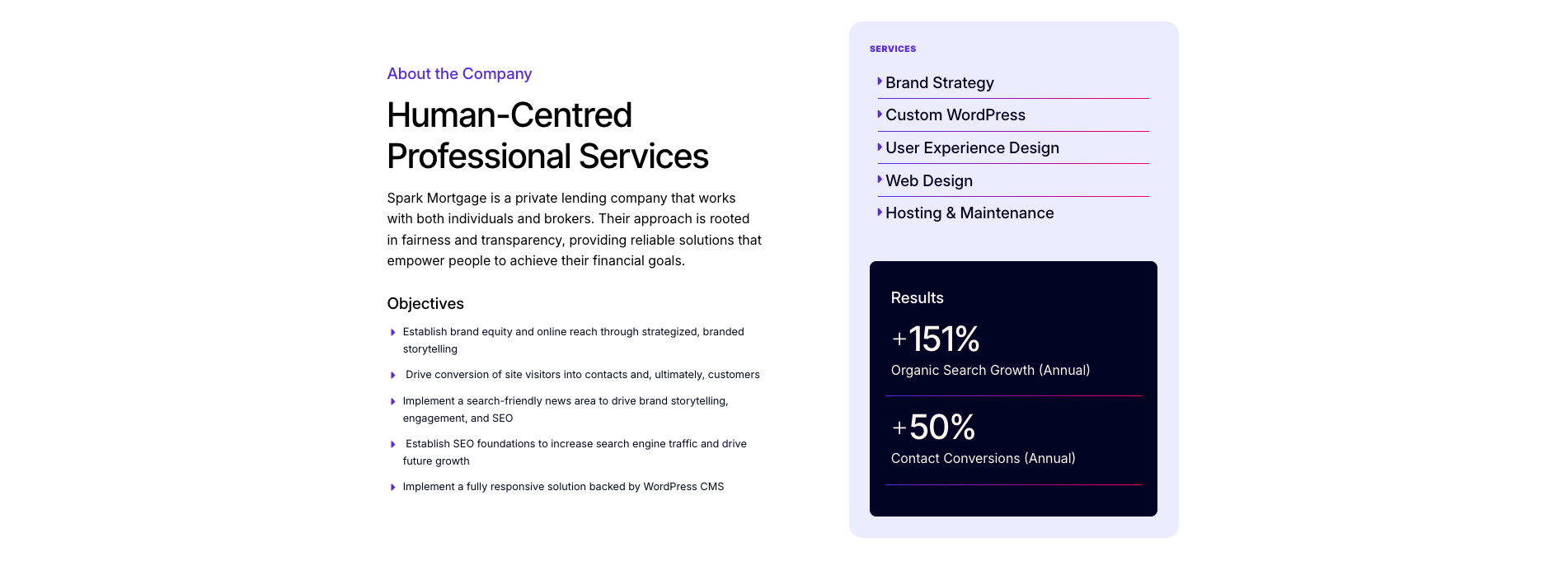
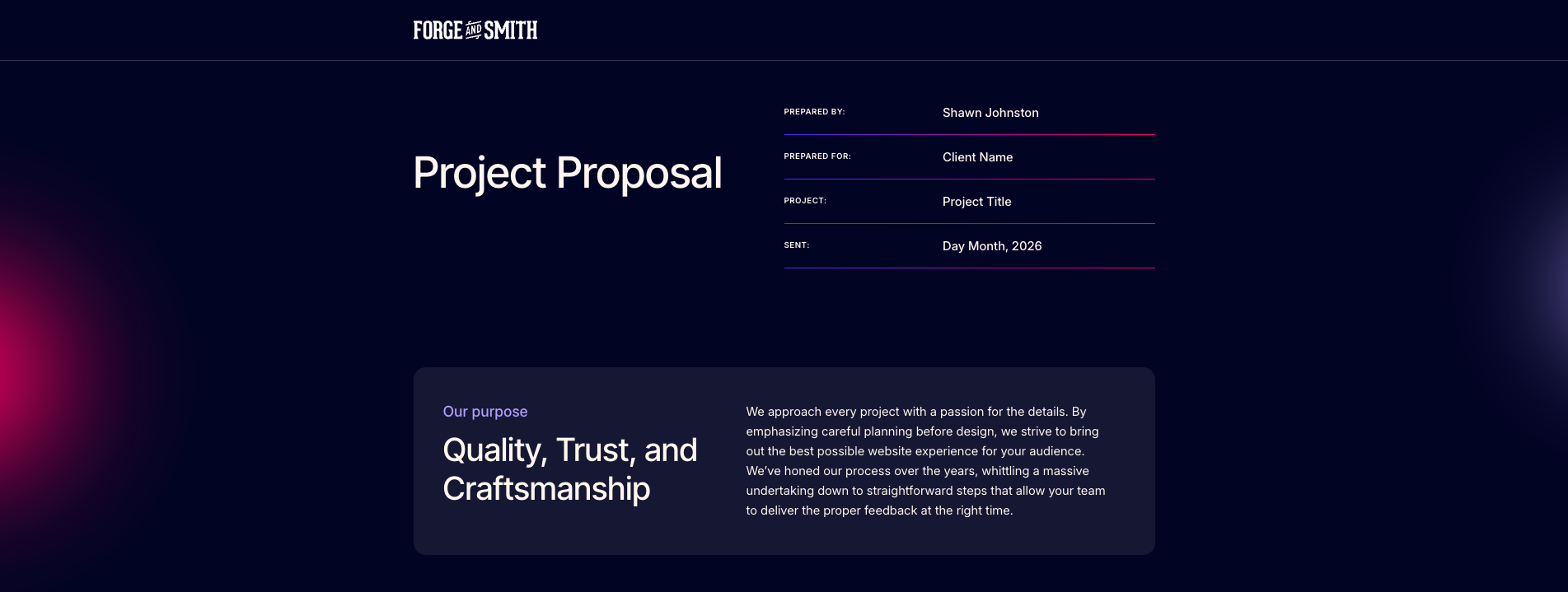
Consistent UX design and brand elements on each page keep the path predictable across every touchpoint. Here are two examples that show the visual consistency from the Forge and Smith homepage, to case studies, to the project proposals that prospective clients receive.
How to Build a Brand System That Fits Your Stage
To build an effective brand system, consider how many people are on your team and tailor your template accordingly.
Stage 1: A One-Pager for Teams of 1 to 5
At this size, your brand identity fits on a single page. Here’s what you need to put in place right away:
- Two or three brand colours: Pick the hex codes once and make sure anyone on the team can paste them anywhere without searching
- Two fonts: Keep one for headlines and one for body text, both available across the tools your team uses every day
- Daily-use templates: Build button styles, email signatures, and slide layouts your sales and support team can copy without redesigning
- Three voice rules: Plain rules with example phrases so anyone writing for the company sounds like the company
The only rule of thumb here is that anyone on your team should find what they need in 30 seconds.
Stage 2: A Working Library for Teams of 10 to 50
Once your team grows beyond five or six people, you need a shared workspace that everyone can pull from.
That can be something like Figma, Notion, or a shared Google Drive.
- It should include colour tokens, type scales, button and form components, email templates, and a voice and tone guide with worked examples
- Worked examples matter more than abstract rules
- Instead of telling someone how to write a customer apology in theory, show them what your last good apology email looked like.
Beyond the assets, one person needs to own the system. They review new template requests, decide what gets standardized, and keep the library current as your products and audiences change.
Stage 3: A Governed System for Teams Past 50
By the time you cross 50 people, you’ve outgrown library size. You now have multiple product lines, international markets, agency partners, and designers making decisions in parallel.
In this case, you need a system that can be documented, versioned, and governed.
You can use tools like Frontify or Zeroheight, or a dedicated design system in Storybook, for this. You can also pair Figma with Style Dictionary or Tokens Studio to keep brand decisions in sync between marketing and product.
The trap at this stage is over-governance. Set a maximum of three gates to review every newly created material, use, and output.
How to Get Started Without a Full Rebrand
Not everyone starts their brand with a well-defined brand system. If that’s your company, here’s how to reset everything and align your brand designs.
1. Audit Your Current Brand
Start by taking screenshots of every digital touchpoint your customer sees in a week. That includes your homepage, pricing page, top service pages, the email your sales team sends most often, your welcome sequence, recent social posts, and your latest deck.
This is especially important in regulated industries like healthcare and finance, where messaging discrepancies can have legal implications.
For example, a testosterone replacement therapy provider might find that its website, patient emails, and social content each describe the service differently, creating unnecessary confusion for prospective patients.
2. Prioritize High-Impact Touchpoints
Once that’s done, prioritize the touchpoints that get the most customer eyes. For most B2B companies, that’s your homepage, the pricing or signup page, and the email sequence after a demo or download.
Standardize those first because they’re also where most of your conversion rate optimization effort goes. Internal docs, secondary social channels, and lesser-used templates can wait.
3. Select Appropriate Tools and Redesign If Needed
Use tools that fit your stage. For most small teams, Figma, Notion, and a shared Google Drive are more than enough. Resist paying for a brand asset management platform until your team genuinely cannot keep track of which file is current.
Of course, don’t wait until things break. Simply scale according to your needs and proactively adapt to those needs in time.
If your website is where most of the inconsistencies are showing up, first figure out whether it needs a refresh or a full redesign. A refresh updates the look and feel while keeping the existing framework. A redesign involves reworking the structure itself.
Wrapping Up
A brand system is the most affordable way for a small team to look and sound coordinated. Pick the stage you’re actually at, build the simplest version that works, and put one person in charge of keeping it up to date.
Most importantly, create educational materials that guide new hires in ensuring consistency across the available system.
Share post:

About the Author
David Abraham
David Abraham is a tech lawyer with extensive experience in artificial intelligence, financial technology, human rights law, and digital marketing.
Contact Us More by This Author