This resource is intended to explain image file formats, and which ones you need for your website project (and for your website post-launch).
What are image formats and why does it matter?
An image format describes how the image’s data is stored. How it works is way too technical for the purpose of this article. What you need to know is which image formats we need for your website.
The reason for this is because there are several image formats recommended for the web, and others just will not work—either the quality won’t be good enough, or they aren’t compatible with WordPress. The main formats we use are JPG (or JPEG), PNG, and SVG.
Vector vs. Raster
An important distinction in understanding which image format to use is the difference between vector and raster image types.
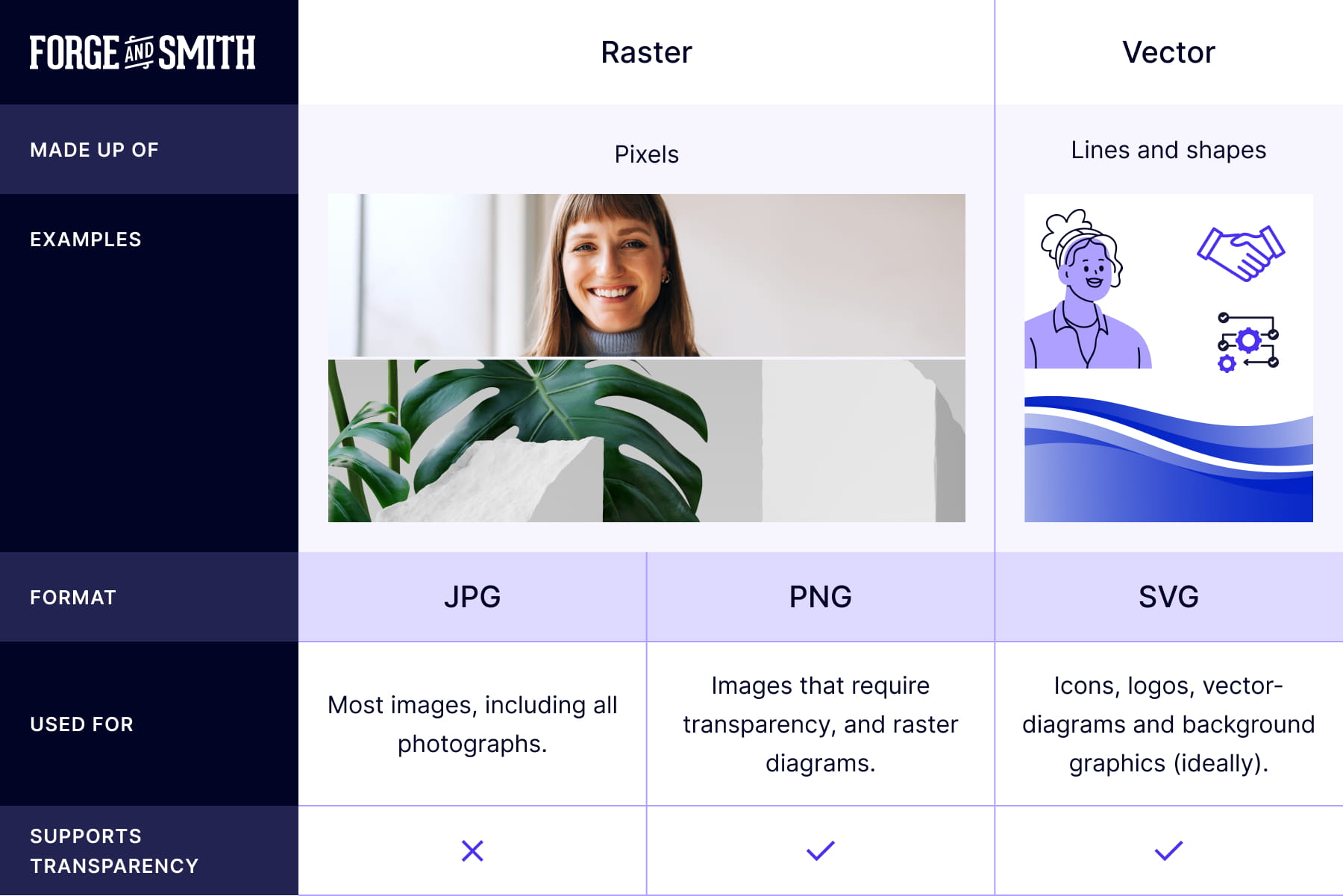
This is a fairly complex topic to get into—more than this article will cover. If you do want to learn more about vector and raster formats, read the Wikipedia article on image formats.
Here’s an easy way to break down the image formats and when you should use them:
JPG
JPG is likely your go-to for more than 90% of website imagery (aside from what’s listed below). This file format enables compression of high-detail photos into small, fast-loading files.
PNG
PNG can make complex photo files way too “heavy” (ie. a large file size), so we don’t recommend it for regular photos.
But the PNG format supports transparency, which JPG does not. If your image needs transparency (and you don’t have a vector format), then PNG is your optimal format. For example, if you want an image to sit on top of a colored background without a white box around it, you need a PNG.
PNG format is also great for diagrams that have lots of solid colour, as the image file will be a fraction of the size compared to if it was saved as a JPG.
PNG images can be compressed, but it can be at a loss of some colour quality due to how the compression process is applied to PNG (reducing the colour palette from 24- or 32-bit to 8-bit). This may not be noticeable to most users.
SVG
Vector Images for Logos and Icons
SVG stands for Scalable Vector Graphics—and as the name suggests, it’s for vector graphics. Vector graphics are images that don’t degrade in quality when sized. SVG images are not pixel-dependent, hence the image sizing guide is not relevant to them.
We will always recommend and use SVG format for your brand’s website logo (if we’re supplied a vector version).
If you are displaying other organizations’ logos on your site (like partners, funders, etc.) it can sometimes be difficult to source the vector artwork for an SVG format. In these cases, a quality PNG format image will work.
Other Image Formats
You might be aware of other image formats, or have downloaded images from a website before and noticed these formats below. Here’s why we don’t request these file types:
- GIFs are mostly used for low-quality animations, like memes. GIF files are generally large and can slow down a page, so they are not recommended for use on your website. If you need animation, we usually use video or Lottie (SVG) animations, which are much smoother and faster than a .gif format.
- WEBP is a newer, highly-compressed format developed by Google. Don’t worry about creating .webp files yourself. Upload JPGs or PNGs, and our website’s performance plugin will automatically convert them to .webp for your visitors.
- AVIFF: The applications that support this format are limited, so it is not recommended.