This resource is intended to help you strategize the order and volume of menu items on your website.
The main menu is also called the primary menu (or sometimes “navigation bar”) of your website. It sits along the top of all pages.

The items in the main menu should always be the key pages that your primary audience needs to find.
You may also have a utility menu that sits above the main menu, also visible on all pages.

Utility menus are often narrower with smaller fonts and may even have a different coloured background, but not always.

The utility menu contains links to secondary pages that are still important, but not as important as the items in the main menu.
The footer menu sits at the bottom of all pages.
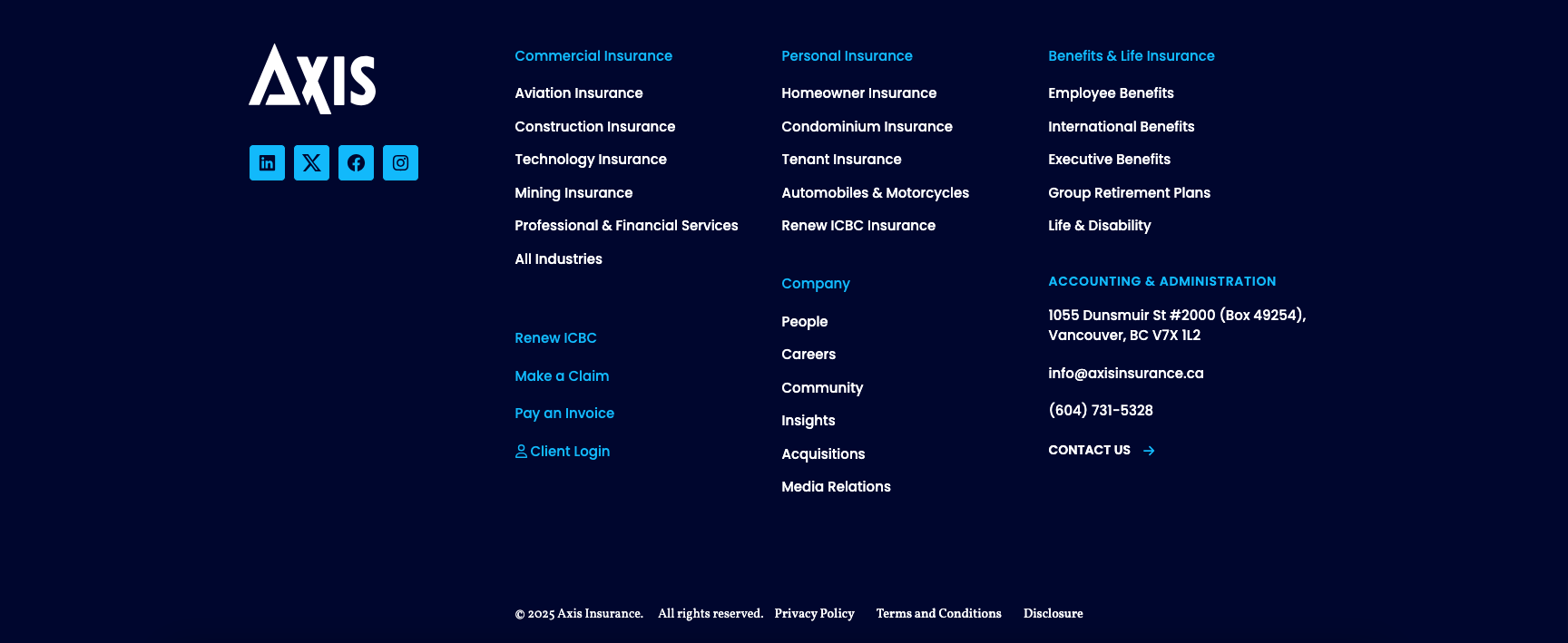
The footer menu is the last opportunity to help a user who has reached the bottom of a page and not clicked anything. Footer menus are critical for wayfinding— savvy users will also skip right to the footer menu for certain types of content.
Main and Utility Menus
A UX (user experience) design best practice is to have no more than 5-7 items in each of these menus.
This is to avoid overwhelming the user with too many options. Choice overload or “paradox of choice” can lead to decision paralysis—the user doesn’t instinctively know where to begin or what to click. This hurts the user experience, and in turn, your goals.
The main menu should include all key pages, while the secondary menu can include a combination of secondary pages, login links, region or language selectors, search bars, and other items.
Unlike the main and utility menus, we always recommend a detailed footer menu that contains links to all key pages, and all (or at least most) sub-pages. In some cases we may also suggest linking to popular content categories, such as products, case studies, blog posts, or resources.
This is because the footer menu is like a mall map. It’s similar to an HTML sitemap, but much more attractive and easier to use. The user wants this functionality in case they get lost, and expects it to be in this location.
Although a minimalist footer menu can be tempting, for most organizations the result will be like choosing fashion over function.
The main menu and utility menu should flow like a story from left to right.
That story usually captures who you are (“about”), what you do (“services” or “products”), and how you do it (“how it works” or “our difference” content, projects or case studies), although the order of that story depends on your industry and your offering. The menu should end with a clear CTA button or final step in the journey (“Contact,” “Donate,” “Get a Quote,” etc.).
We typically also design the sections on your homepage from top to bottom to align with your main menu from left to right. This way, however a user chooses to browse, they will get the same story and be guided towards the same content.
For menu items that perform a selection (language, region), activate a search, or take a user off-site (logins, payments), we recommend placing these at the end of the utility menu.