This resource is intended to provide tips for using an AI tool to help you write the content for your new site.
Should I use an AI tool for my content?
You can, but that doesn’t mean you have to or should. Read this resource, and especially this section, carefully.
The content gathering stage of our projects is always the hardest, and takes the longest. That’s because the majority of our clients aren’t writers—you’re an expert at your business, but that probably doesn’t involve writing for the web. We offer two add-on copywriting packages for website projects: one that’s AI supported and human edited, and one that’s 100% human written and edited. But if neither of those is doable within your budget and you’re short on time and resources, AI can be helpful.
Which AI tool you use is up to you. The output quality depends largely on the prompts (which is what we’re here to teach you!). While researching an article on SEO and AI content writing we tested three popular tools: ChatGTP, Rytr, and Jasper.
- ChatGPT seemed to do the best with any prompt
- Rytr went overboard on keywords, but was otherwise good
- Jasper needed more detailed prompts to do a good job
To help you with your AI copywriting and editing, we also recommend these resources:
- Our expert’s complete guide to writing website content
- Our blog post on aligning AI writing with your brand voice
- This resource on how to use the SEO deliverables that we provided
- This resource on content optimization
Important to Note: AI tools should only be used to create starting points, not your final copy. AI text should always be reviewed by a human, revised to fully align with branding, and checked for accuracy if applicable. AI tools can provide misinformation or commit plagiarism.
Which content can an AI tool write?
If you provide it with enough assets, an AI tool can write a first draft of most website content for you.
However, we recommend that you write the more intimate storytelling and values-driven content yourself. This would be pages like your About page, reconciliation content, sustainability content, or DEI content.
Legal content (privacy policy and terms) can get a first draft from an AI tool, but it is absolutely critical that a human revise it as this content is legally binding for your business.
It’s also important to keep in mind that an AI tool generates text primarily based on what it’s learned from scraping hundreds of thousands of other websites. The content it generates isn’t going to be unique, and may end up sounding flat—or just like your competitors.
That’s where the human review comes in, to tweak it and give it more personality.
How do I get started on the AI tool?
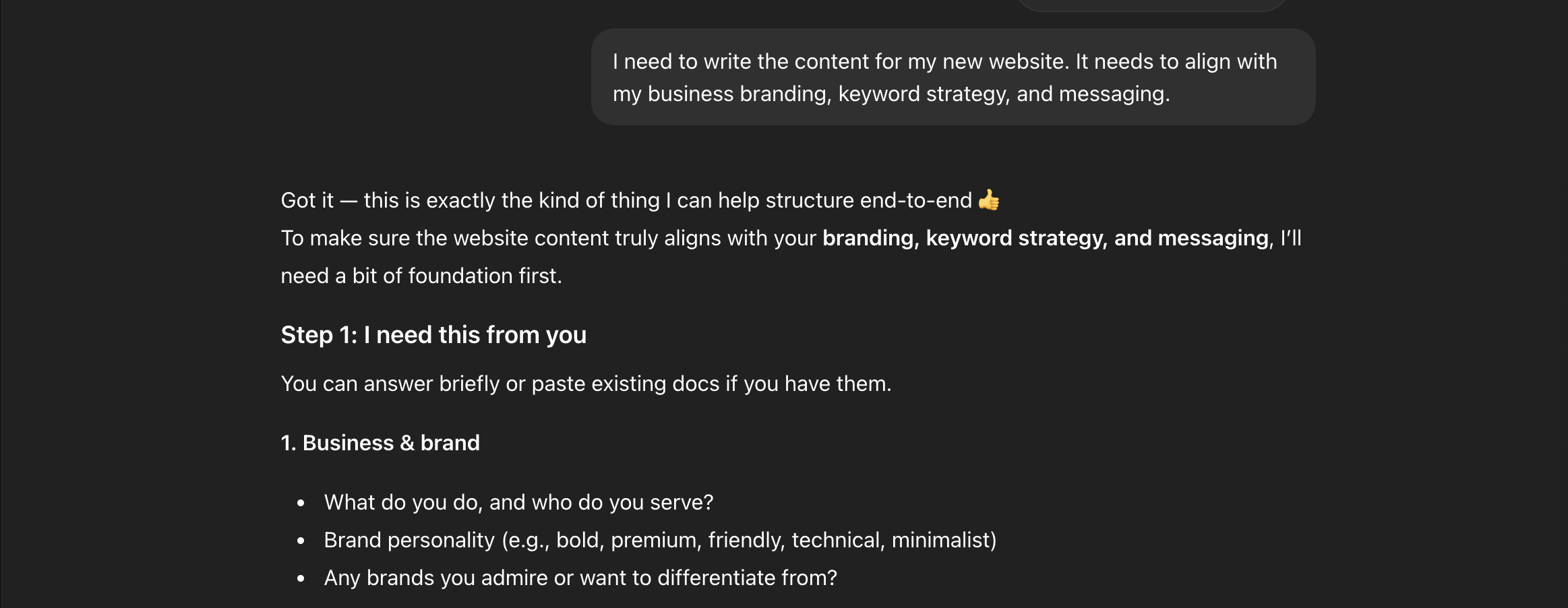
Create an account with your AI tool of choice. We’ll use ChatGPT for the examples in this resource. Then tell the tool what you want to do. The prompt can be as simple as this:
I need to write the content for my new website. It needs to align with my business branding, keyword strategy, and messaging.
ChatGPT returned a list of six questions for me.
What assets should I feed to the AI tool?
To answer these questions, you can write answers in the prompt box. We also recommend giving the tool the following links or exported files:
- Your current website link
- PDF(s) of your brand guidelines, strategic direction, legal guidelines, docs you share with clients that demonstrate how you talk about the business or offering, and any other brand documentation that you have, OR
- A summary of your brand personality—describe the organization as if it’s a person: traits you want to be associated with, and how you want the reader to feel
- A link to the competitor rankings spreadsheet we provided on Basecamp, OR
- A link to the advanced keyword research (if you purchased this add-on) from Basecamp
- Links to the content gathering documents and sheets that we provided
You can copy/paste the tool’s list of questions back into the prompt box and add answers, or just write a list of directions from scratch:
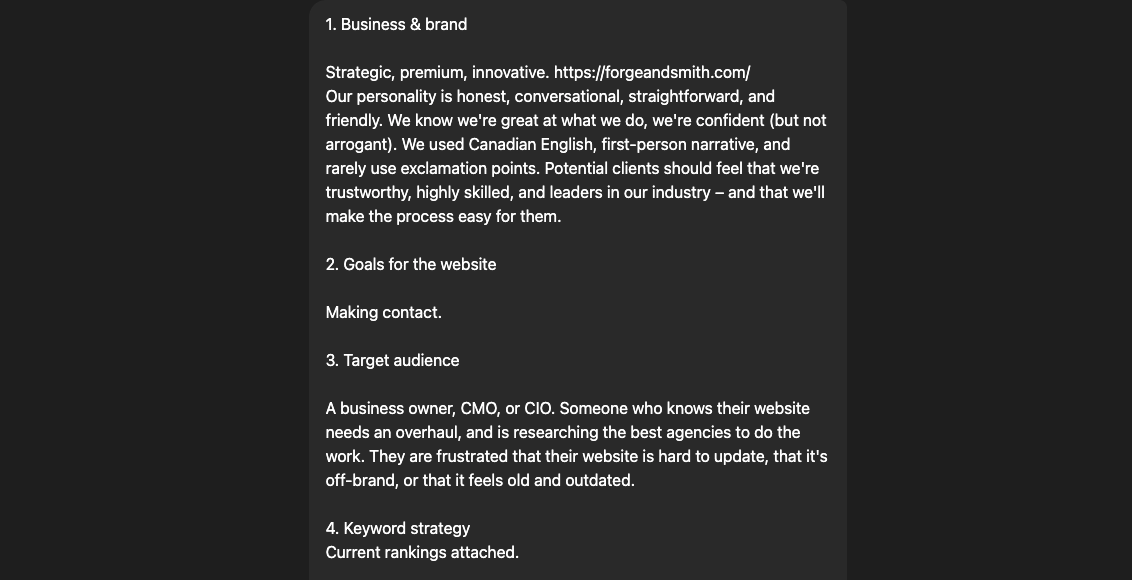
What you feed the tool at this point in the process will be tailored to your brand.
Important to note: Although ChatGPT asked for list of pages to write, we recommend directing the tool to produce one page at a time based on those assets. If you give it the list right out of the gate, it will spew out the whole site’s text at once. This will be a lot to scroll through, and harder to work with for requested revisions per page.
What additional guidance should I give the AI tool?
Make sure to tell the tool the following:
- If you use US or Canadian English
- If you want it to speak in the first person (“we”) or third person (your business name)
- If you want headings to be title case or sentence case
- If you want headings to use punctuation
- If you want it to use exclamation marks
- Words to avoid
- Any other critical notes you can think of—but don’t worry, you can give it new instructions as you go
How do I work with the tool?
The content gathering docs give you (and the AI tool) clear fields to fill in. Once you’ve given the tool the links to all content docs, it should be able to understand what it’s meant to write, and you should only have to ask it to write the text for each page using the titles in the docs.
But there are often sections with an ambiguous heading (to let you decide what kind of content you want to feature), or sections tied to a specific website functionality that the AI tool may not understand. In these cases, you can prompt it directly to write what you need.
Imagine you’re giving a really smart teenager an assignment. Tell the tool what the section is supposed to be about, and the purposes and word counts for each row in the table(s). That’s it.
For example, let’s start with:
- A homepage header
- Needs a heading that’s 6-8 words
- Needs body text that’s 15-25 words
- Has two buttons, doesn’t need copy for them because it was pre-populated in Docs
Asking the tool for variations in the first prompt will get you variations on all further prompts, and more text to work with.
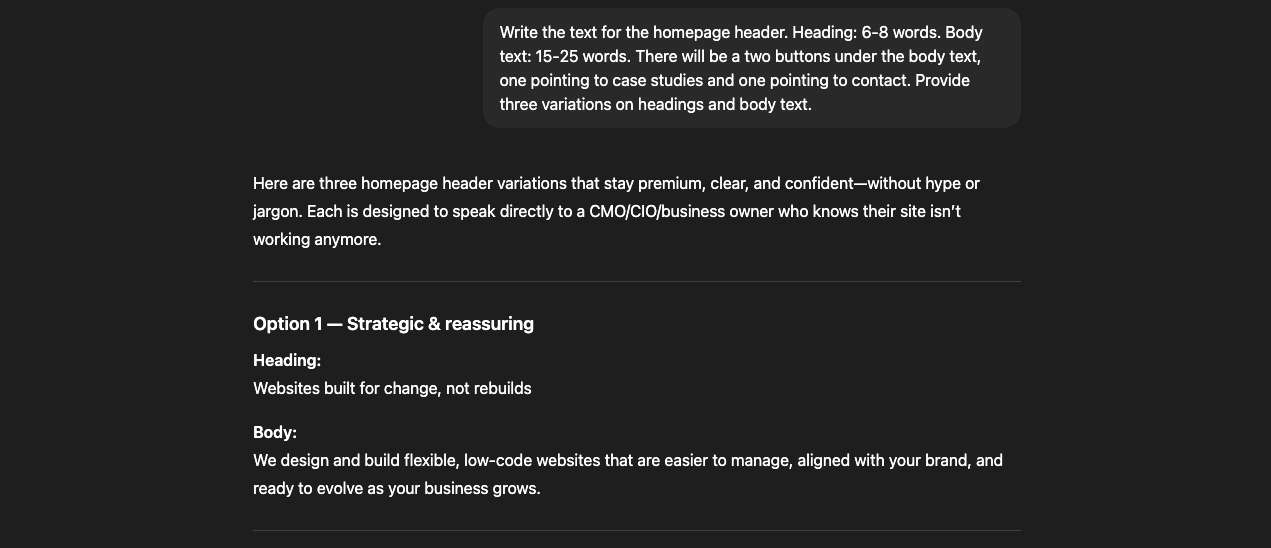
None of ChatGPT’s options in this case were perfect, but they were decent starting points to combine and edit down to one final version.
As mentioned, you can give the tool feedback as you go, such as words to stop using, changes to voice or tone, or points to add into the perspective.
Do you have sample prompts?
We sure do.
Most Basic Text Sections
The prompt below will work for a lot of simple sections: headers, overview/intro text that sits above pretty much any content, short callouts, related content blocks, etc. Just edit to match the rows in your content doc. .
Write a
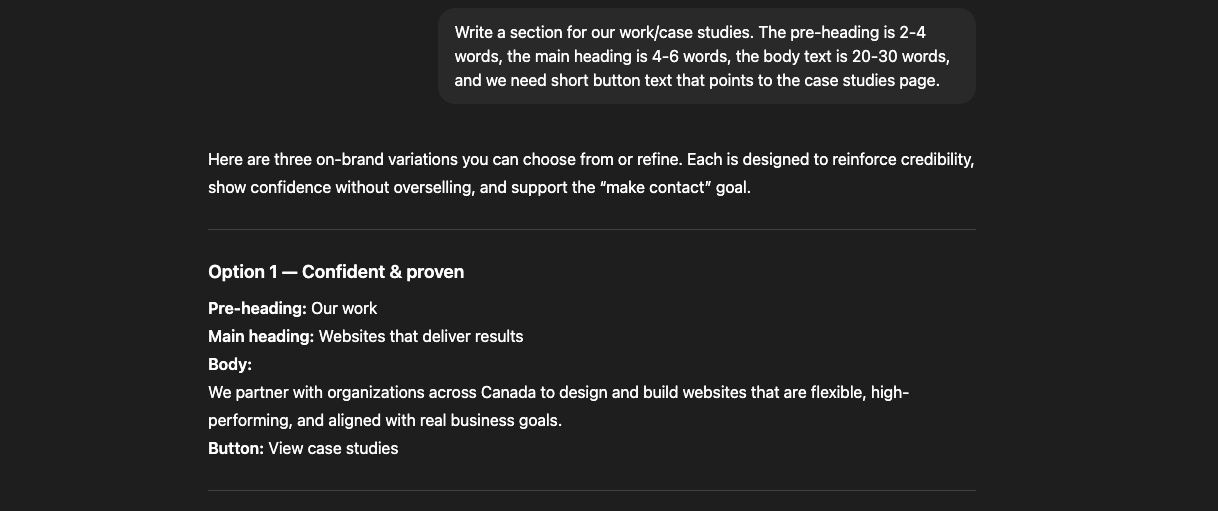
Longer Text Sections
The prompt below will work for longer text sections (often next to an image, but not always).
Write a section for our services. The heading is 6-8 words, the body text is 2 paragraphs of 30-40 words each, and we need short button text that points to the services page.
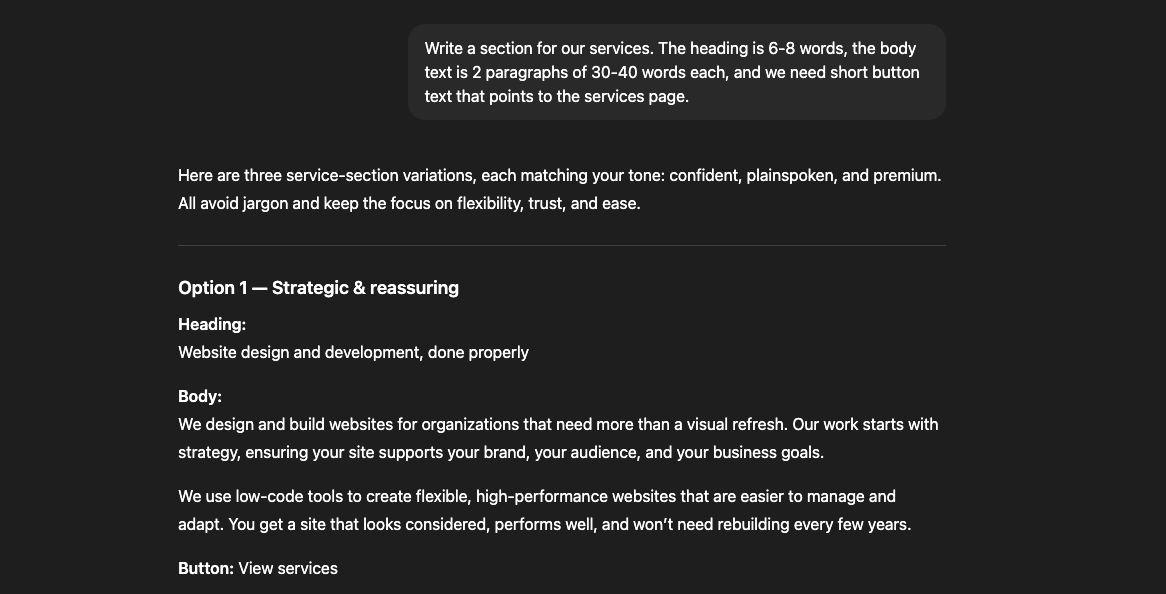
The heading in the first option shown is terrible, but again, this is a starting point. The heading in the third option was much more workable.
Pre-Footer CTAs
The prompt below will work for writing the callout blocks at the bottom of each page, called “pre-footer CTAs.” In this case we’re assuming that it’s your conversion-driving CTA, such as “Get a Quote” or “Contact Us.” If it’s a softer CTA, such as moving from Careers to About, you can just provide the word counts.
Write a pre-footer CTA. The heading is 4-6 words, the body text is 15-20 words, and we need short button text that points to the contact page. This CTA needs to encourage a person to convert, so it should use enticing language.
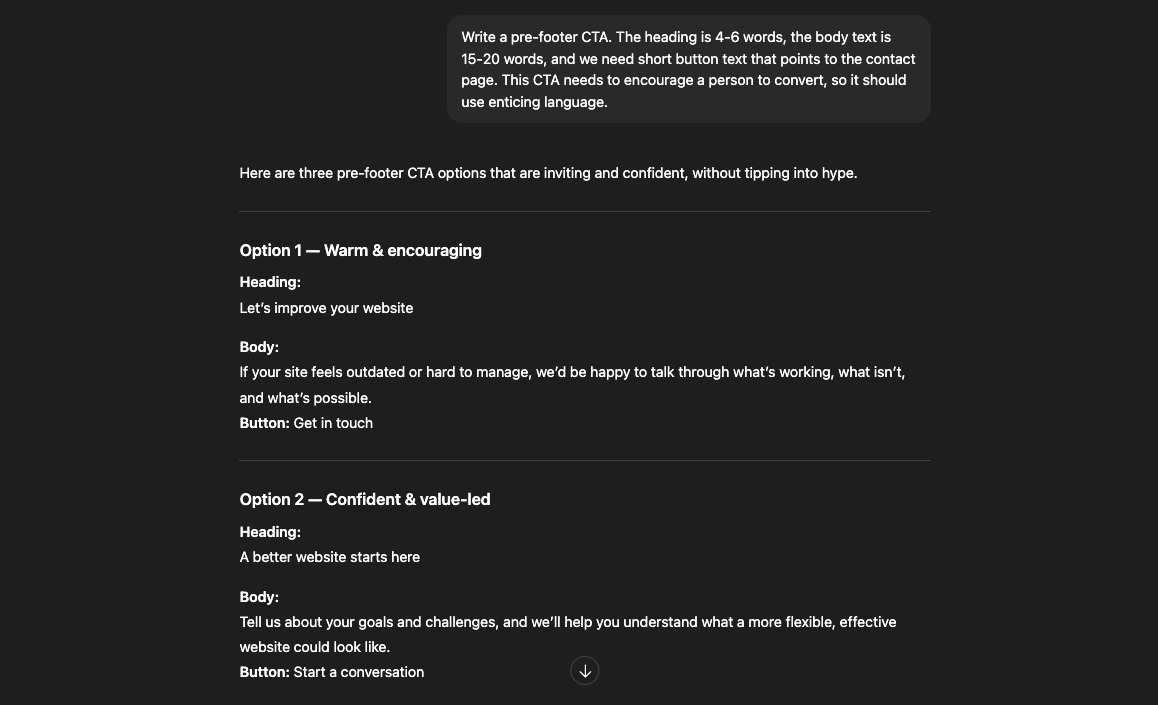
This was an opportunity to give the tool feedback on being more direct (“help you understand” and “talk through” are passive phrasing) and making the benefits more exciting (“what’s possible” and “could look like” are extremely vague).
Do you have tips for editing AI content?
Fact check everything, especially if it’s referencing external facts or details about your business that it took from your existing site (years in business, number of employees, number of clients, number of cities/countries, etc.)
It has to sound like your brand
Verify that it used the right narrative (first- or third-person) and regional language (US or CA English)
Ensure it has a tone that your target audience would expect
Be extra-critical of copy on and around CTAs, to make sure the text feels urgent and enticing
Watch out for repetitive words and phrasing, especially adjectives, on the same page and across the site
Check for missing transition sentences between paragraphs in longer content sections
Add your team’s expert opinions where appropriate
Keep an eye out for jargon and buzzwords
Look for repeated sentence structures, like “from _____ to _____”